Creators · Breakthrough Workflows
A creator put NVIDIA’s Kimodo inside a local 3D animation pipeline
Kimodo isn’t new. What is interesting now is seeing creators turn NVIDIA’s text-and-constraint motion model into something that sits inside an everyday 3D workflow.
Reporting updated Oct 1, 2026
From the creator
Original creator demonstration for A creator put NVIDIA’s Kimodo inside a local 3D animation pipelineView original post on X ↗
THE TAKEAWAY
AI motion generation becomes much more useful when a creator can tell the character where to go, what pose to hit and what its hands and feet need to do. That is what makes Kimodo interesting.
The model existed. Now creators are finding a place for it.
Japanese creator KANA / KanaWorks_AI recently showed NVIDIA’s Kimodo running locally as part of a personal 3D animation pipeline.
KANA described motion creation as one of the harder parts of building a 3D game and showed Kimodo being used as a production tool rather than a standalone demo.
That distinction matters.
Kimodo has been available for months.
What is new is watching creators decide where it belongs.
Animation needs control, not just generation
Animation is less forgiving than image generation.
A game character may need to hit an enemy on frame 18.
Local changes the economics
A hand needs to reach a handle.
A foot needs to stay planted.
A character needs to arrive in the right place.
Kimodo is built around those constraints.
KANA’s workflow also highlights another benefit: Kimodo can run locally.
That means repeated animation experiments do not automatically become another metered cloud-generation cost.
For a solo creator, that changes the question from:
“How many generations can I afford?”
to:
“How long am I willing to let my machine work?”
Kimodo does not remove retargeting, gameplay timing, contact or art-direction work.
That is why creator integrations like KANA’s matter.
The research model is only the beginning.
The real progress happens when somebody connects it to the rest of production.
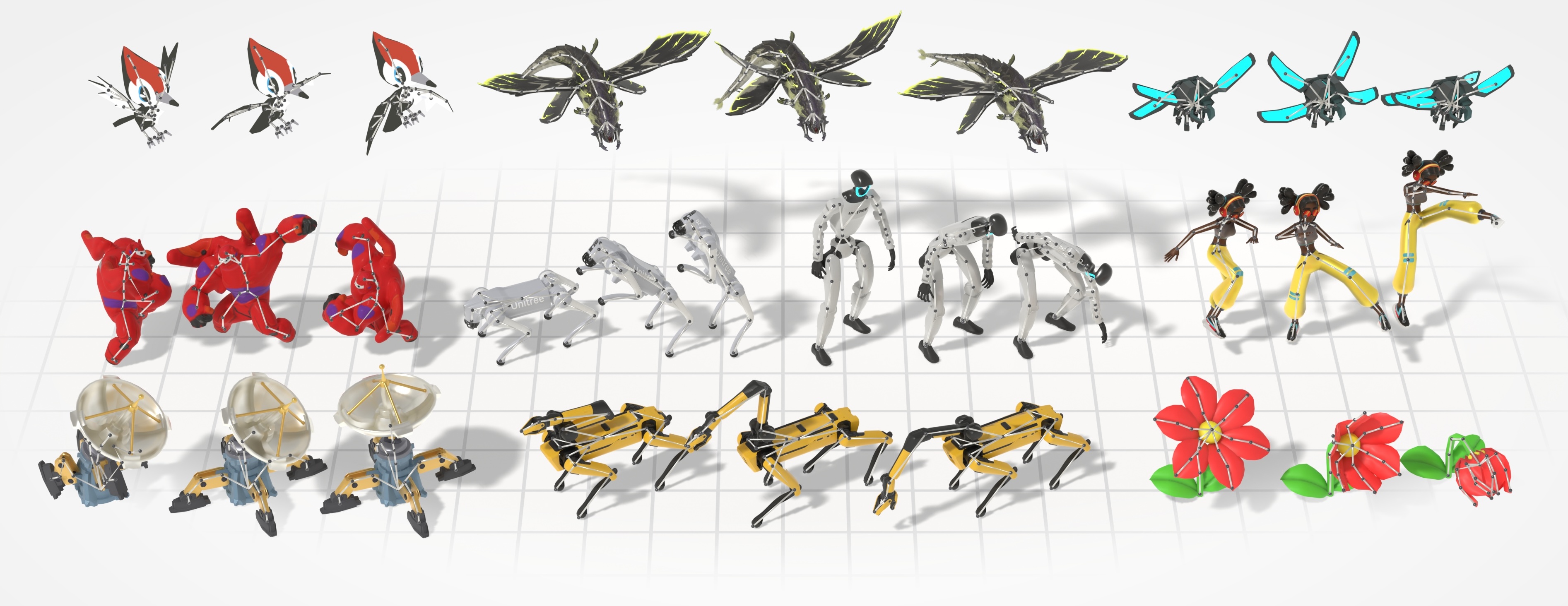
Kimodo and UniMate approach the same problem from different directions.
Kimodo: more control over generated motion.
UniMate: broader support for different skeletons.
Put those together and the direction becomes clear:
more general characters + more controllable motion + tighter integration into existing 3D tools.
WHAT KIMODO CAN CONTROL
Text
Describe the movement.
Keyframes
Set the poses it needs to hit.
Hands + feet
Guide contact and placement.
Paths
Direct where the character moves.
“The useful animation model isn’t the one that can make a character move. It’s the one that can make the character move where the production needs it to.”
VEYR Editorial
What VEYR is watching
AI 3D is moving beyond generating objects.
The next phase is making those objects behave.
Animation, control and integration are becoming the next major layer of the AI-native 3D pipeline.