Games · Model Watch
Unity’s AI assistant can explain a scene before it changes one
Ask, Plan and Agent modes give developers different ways to use project context in the editor.
Reporting updated Sep 23, 2026
THE TAKEAWAY
Let the assistant explain the problem first. Understanding the proposed fix makes it easier to spot a bad one.
What Happened
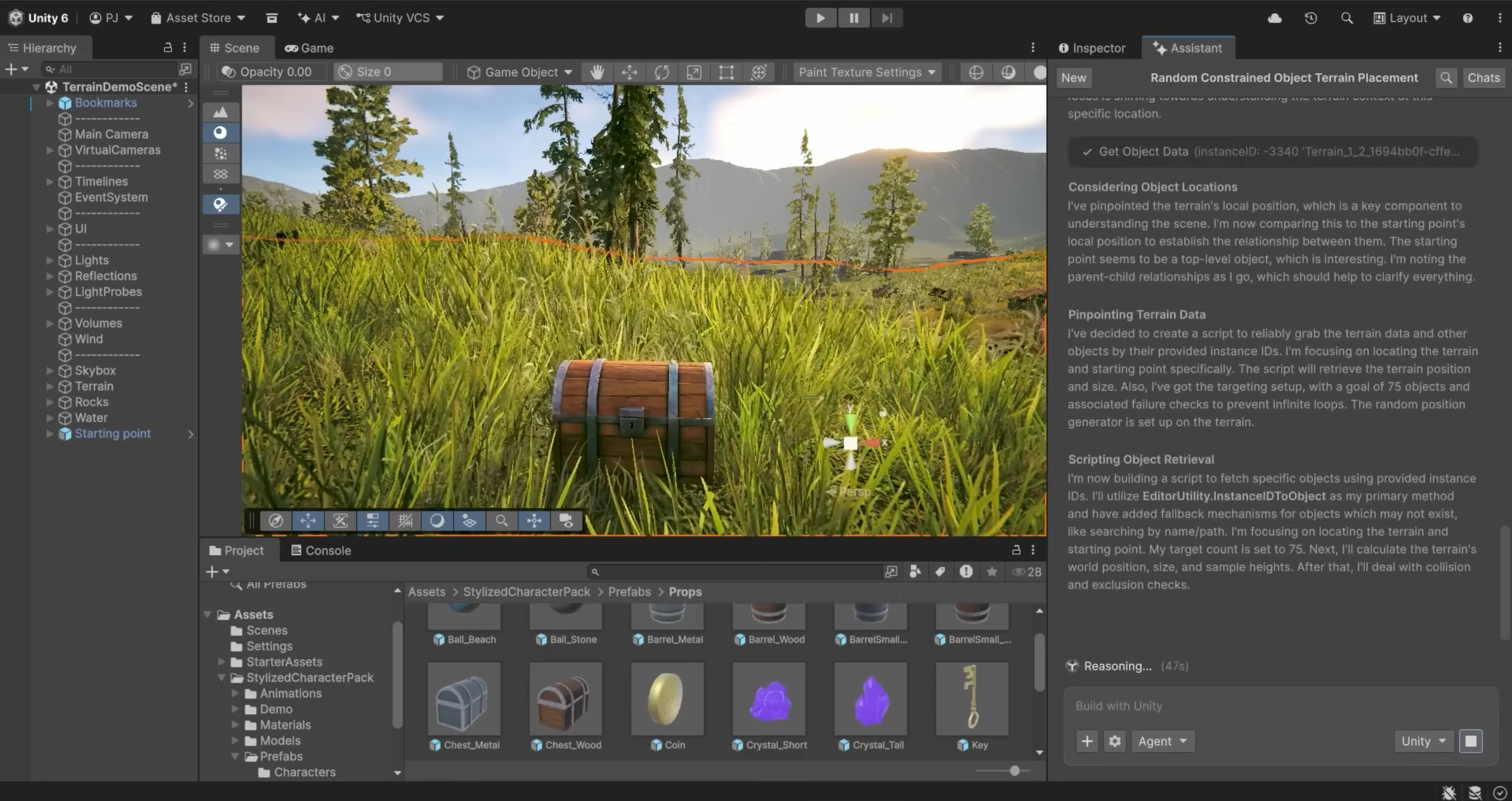
Unity’s open-beta assistant works inside the editor with information about scene objects, components and the project. A question can include the setup around a script, rather than just the code pasted into a chat.
Unity separates the work into Ask, Plan and Agent modes. Ask handles questions, Plan lays out proposed steps, and Agent can carry out changes. The company describes configurable permissions and reversible actions.
Why It Matters
A missing component setting can look like a programming bug. Seeing the scene gives an assistant more information to work with, and gives a small team a chance to find the cause before rewriting code that was fine. Its explanation still needs checking against the project.
Start With a Scene You Know
Use a copy of a small scene. Ask the assistant to explain one problem, then read its proposed plan before allowing a change. Keep the task narrow enough that you can inspect what it touched.
Play the scene afterward. Does the fix solve the original problem, and do the nearby interactions still work? If you cannot explain the change to a teammate, stop and ask for a clearer account before accepting it.
Before Installing
Check the editor, package and cloud-project requirements in Unity’s versioned documentation. The tools are in beta, so the instructions for your installed package matter.