Tools · News
The generated model is finished. Getting it into a game is another job.
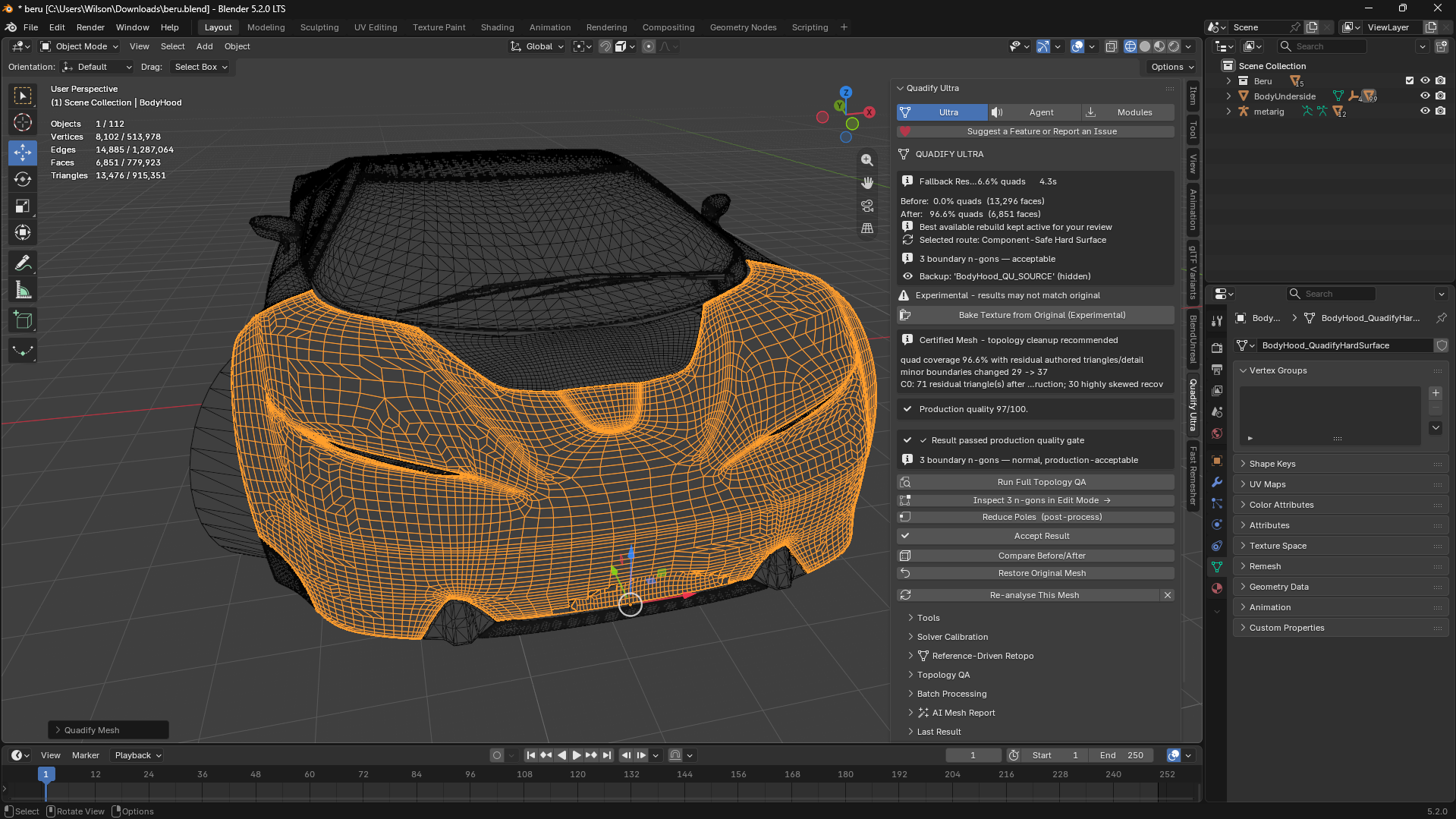
Quadify tackles the mesh cleanup and asset preparation that sit between an attractive 3D object and a usable game asset.
Reporting updated Oct 6, 2026
THE TAKEAWAY
Generating a model gives a creator a starting point. Preparing its geometry, textures and export settings determines what they can do with it next.
WHAT HAPPENED
A character may look convincing in a preview, then become difficult to animate. A detailed prop may need fewer polygons before a scene can comfortably hold dozens of copies.
Anvil Interactive Solutions builds Quadify, a family of Blender tools aimed at those production tasks. An October 5 developer post brought fresh attention to the software’s treatment of generated models, scans and other complicated meshes.
Its documentation distinguishes recovering useful structure from rebuilding it. Smart Convert looks for places where existing triangles can form sensible four-sided faces. Production Rebuild creates a new mesh layout when the original structure needs more substantial work.
WHY IT MATTERS
For a small team, the work continues after the model appears. Someone still needs to decide how much detail it requires, how its surfaces will hold textures and whether it behaves correctly in the engine.
Quadify’s Pro tools extend into that preparation, while other editions concentrate on cleanup, rebuilding or choosing a processing strategy.
WHAT THE TOOLS ADDRESS
Mesh cleanup
Repair problems and recover useful face structure.
Reconstruction
Build a new layout for dense or difficult geometry.
Asset preparation
Check geometry, textures, materials and export requirements for a destination.
The work continues after the model appears.
VEYR ANGLE
This is a useful part of AI production to follow: what happens when a creator takes a generated object into the world they are building? Quadify offers tools for that stage. The result still needs an artist’s inspection in the actual scene.